* NoNonsense-FilePicker
#+begin_html


#+end_html
#+begin_html
 #+end_html
#+begin_html
#+end_html
#+begin_html
 #+end_html
#+begin_html
#+end_html
#+begin_html
 #+end_html
#+begin_html
#+end_html
#+begin_html
 #+end_html
- Extendable for sources other than SD-card (Dropbox, Drive, etc)
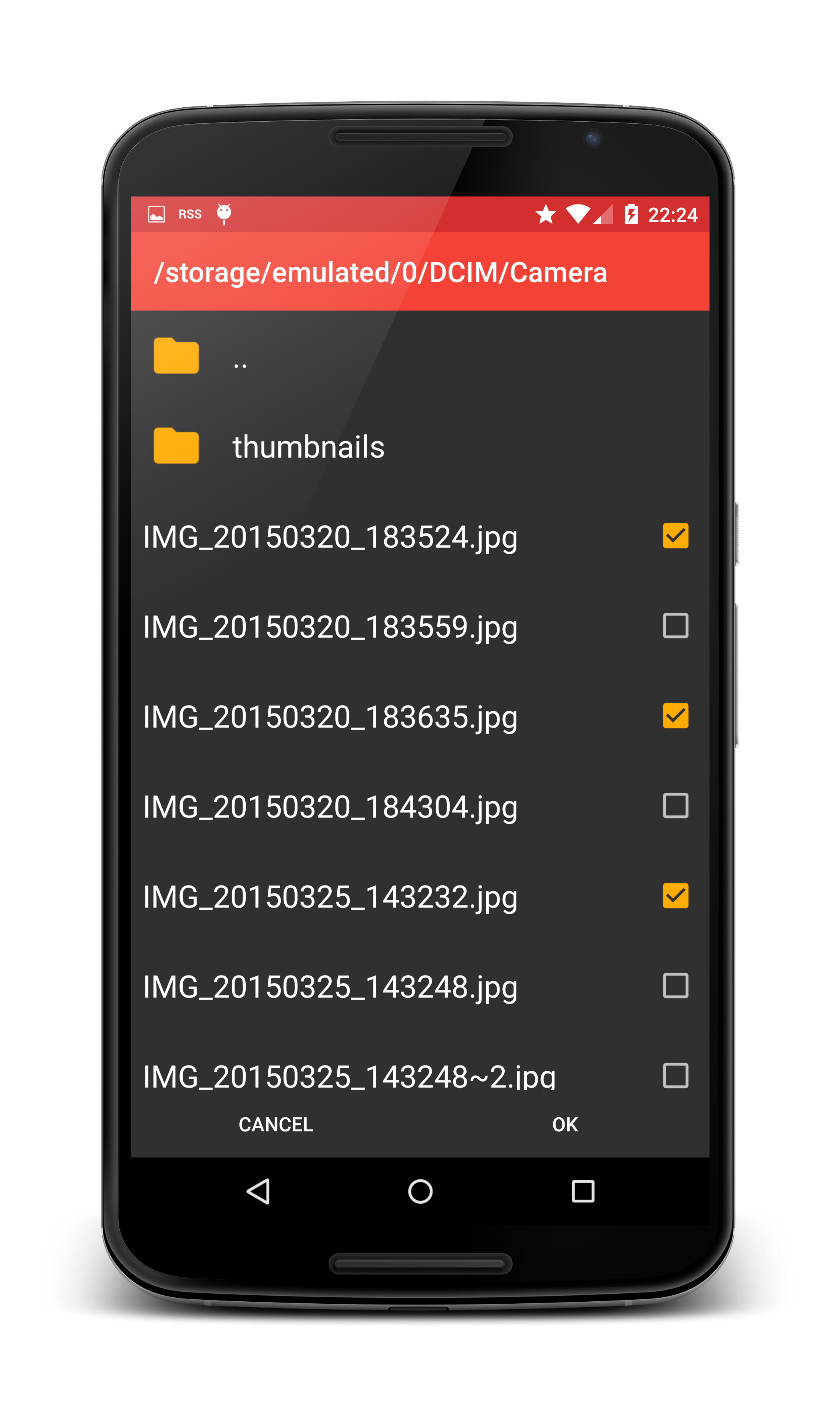
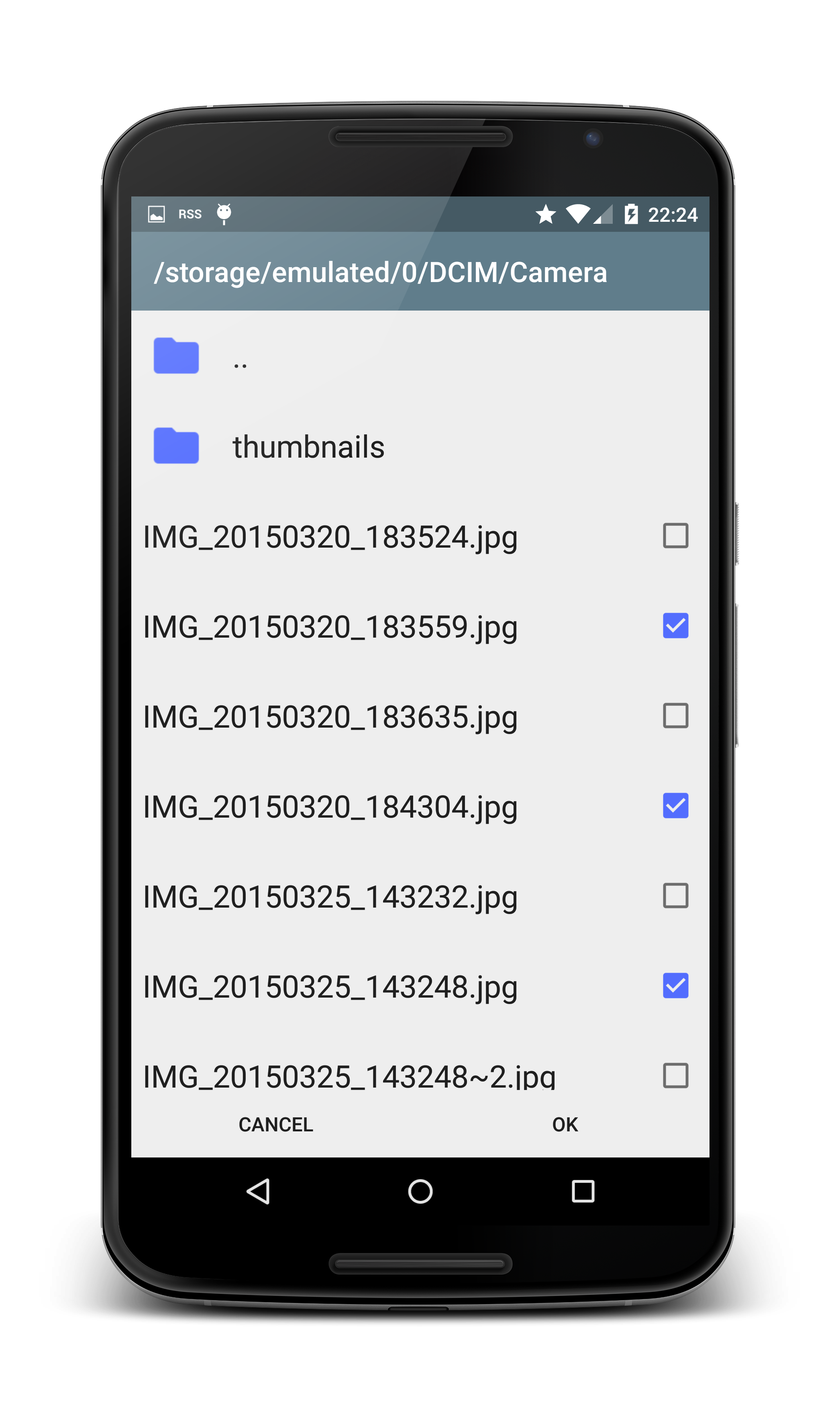
- Can select multiple items
- Select directories or files, or both
- Create new directories in the picker
- Material theme with AppCompat
** Yet another file picker library?
I needed a file picker that had two primary properties:
1. Easy to extend: I needed a file picker that would work for normal
files on the SD-card, and also for using the Dropbox Sync API.
2. Able to create a directory in the picker.
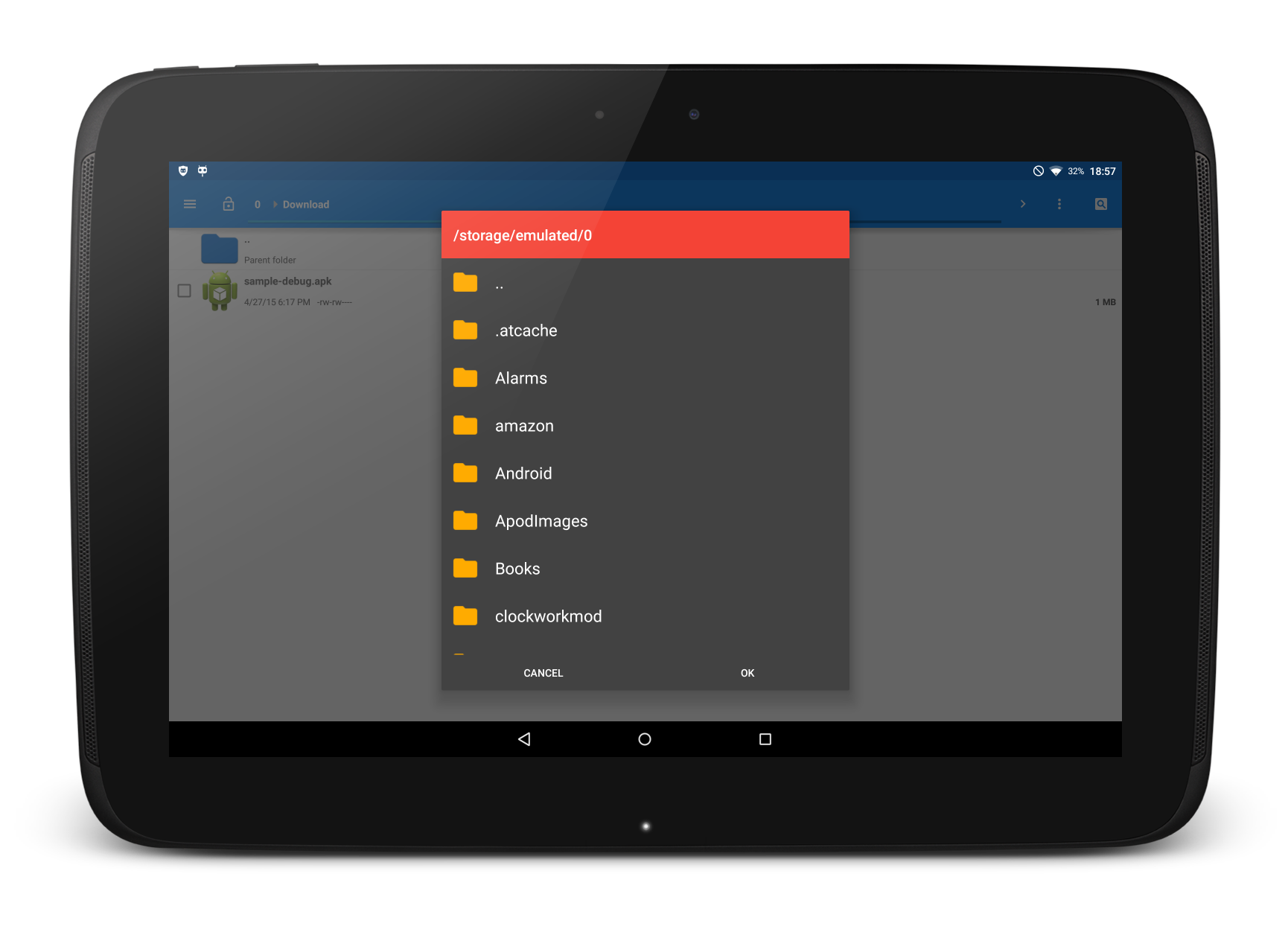
This project has both of those qualities. As a bonus, it also scales
nicely to work on any phone or tablet. The core is placed in abstract
classes, so it is fairly easy to extend the picker to create
your own.
The library includes an implementation that allows the user to pick
files from the SD-card. But the picker could easily be extended to get
its file listings from another source, such as Dropbox, FTP, SSH and
so on. The sample app includes an implementation which browses your
Dropbox.
By inheriting from an Activity, the picker is able to be rendered as
full screen on small screens and as a dialog on large screens. It does
this through the theme system, so it is very important for the
activity to use a correctly configured theme.
** How to include in your project (with Gradle)
Just add the dependency to your /build.gradle/:
#+begin_src groovy
repositories {
mavenCentral()
mavenLocal()
}
dependencies {
compile 'com.nononsenseapps:filepicker:+'
}
#+end_src
That will make sure you are using the latest version at all times.
** How to include with Maven:
Something like this should work:
#+begin_src xml
com.nononsenseapps
filepicker
2.0.0
aar
#+end_src
** How to use the included SD-card picker:
*** Include permission in your manifest
#+begin_src xml
#+end_src
*** Include the file picker activity
The intent filter is optional depending on your use case. Note that
the theme set in the manifest is important.
#+begin_src xml
#+end_src
*** Configure the theme
You must *set the theme* on the activity, but you can configure it to
match your existing application theme. You can also name it whatever
you like..
#+begin_src xml
#+end_src
*** Starting the picker in your app
#+begin_src java
// This always works
Intent i = new Intent(context, FilePickerActivity.class);
// This works if you defined the intent filter
// Intent i = new Intent(Intent.ACTION_GET_CONTENT);
// Set these depending on your use case. These are the defaults.
i.putExtra(FilePickerActivity.EXTRA_ALLOW_MULTIPLE, false);
i.putExtra(FilePickerActivity.EXTRA_ALLOW_CREATE_DIR, false);
i.putExtra(FilePickerActivity.EXTRA_MODE, FilePickerActivity.MODE_FILE);
startActivityForResult(i, FILE_CODE);
#+end_src
*** Handling the result
If you have a minimum requirement of Jelly Bean (API 16) and above,
you can skip the second method.
#+begin_src java
@TargetApi(Build.VERSION_CODES.JELLY_BEAN)
@Override
protected void onActivityResult(int requestCode, int resultCode, Intent data) {
if (requestCode == FILE_CODE && resultCode == Activity.RESULT_OK) {
if (data.getBooleanExtra(FilePickerActivity.EXTRA_ALLOW_MULTIPLE, false)) {
// For JellyBean and above
if (Build.VERSION.SDK_INT >= Build.VERSION_CODES.JELLY_BEAN) {
ClipData clip = data.getClipData();
if (clip != null) {
for (int i = 0; i < clip.getItemCount(); i++) {
Uri uri = clip.getItemAt(i).getUri();
// Do something with the URI
}
}
// For Ice Cream Sandwich
} else {
ArrayList paths = data.getStringArrayListExtra
(FilePickerActivity.EXTRA_PATHS);
if (paths != null) {
for (String path: paths) {
Uri uri = Uri.parse(path);
// Do something with the URI
}
}
}
} else {
Uri uri = data.getData();
// Do something with the URI
}
}
}
#+end_src
** Want to customize further?
See the sample project for examples on dark and light themes, and an
implementation using Dropbox. The minimum required work is as follows:
*** Extend AbstractFilePickerActivity
And implement *getFragment*. It should return an instance of
*AbstractFilePickerFragment*. Which naturally leads to:
*** Extend AbstractFilePickerFragment
Which requires you to implement
- onNewFolder
- isDir
- getParent
- getPath
- getFullPath
- getName
- getRoot
- toUri
- getLoader
** Not using Gradle yet?
Time to start! To convert your current Eclipse project, have a look at
my brief explanation:
[[http://cowboyprogrammer.org/convert-to-android-studio-and-gradle-today/]]
#+end_html
- Extendable for sources other than SD-card (Dropbox, Drive, etc)
- Can select multiple items
- Select directories or files, or both
- Create new directories in the picker
- Material theme with AppCompat
** Yet another file picker library?
I needed a file picker that had two primary properties:
1. Easy to extend: I needed a file picker that would work for normal
files on the SD-card, and also for using the Dropbox Sync API.
2. Able to create a directory in the picker.
This project has both of those qualities. As a bonus, it also scales
nicely to work on any phone or tablet. The core is placed in abstract
classes, so it is fairly easy to extend the picker to create
your own.
The library includes an implementation that allows the user to pick
files from the SD-card. But the picker could easily be extended to get
its file listings from another source, such as Dropbox, FTP, SSH and
so on. The sample app includes an implementation which browses your
Dropbox.
By inheriting from an Activity, the picker is able to be rendered as
full screen on small screens and as a dialog on large screens. It does
this through the theme system, so it is very important for the
activity to use a correctly configured theme.
** How to include in your project (with Gradle)
Just add the dependency to your /build.gradle/:
#+begin_src groovy
repositories {
mavenCentral()
mavenLocal()
}
dependencies {
compile 'com.nononsenseapps:filepicker:+'
}
#+end_src
That will make sure you are using the latest version at all times.
** How to include with Maven:
Something like this should work:
#+begin_src xml
com.nononsenseapps
filepicker
2.0.0
aar
#+end_src
** How to use the included SD-card picker:
*** Include permission in your manifest
#+begin_src xml
#+end_src
*** Include the file picker activity
The intent filter is optional depending on your use case. Note that
the theme set in the manifest is important.
#+begin_src xml
#+end_src
*** Configure the theme
You must *set the theme* on the activity, but you can configure it to
match your existing application theme. You can also name it whatever
you like..
#+begin_src xml
#+end_src
*** Starting the picker in your app
#+begin_src java
// This always works
Intent i = new Intent(context, FilePickerActivity.class);
// This works if you defined the intent filter
// Intent i = new Intent(Intent.ACTION_GET_CONTENT);
// Set these depending on your use case. These are the defaults.
i.putExtra(FilePickerActivity.EXTRA_ALLOW_MULTIPLE, false);
i.putExtra(FilePickerActivity.EXTRA_ALLOW_CREATE_DIR, false);
i.putExtra(FilePickerActivity.EXTRA_MODE, FilePickerActivity.MODE_FILE);
startActivityForResult(i, FILE_CODE);
#+end_src
*** Handling the result
If you have a minimum requirement of Jelly Bean (API 16) and above,
you can skip the second method.
#+begin_src java
@TargetApi(Build.VERSION_CODES.JELLY_BEAN)
@Override
protected void onActivityResult(int requestCode, int resultCode, Intent data) {
if (requestCode == FILE_CODE && resultCode == Activity.RESULT_OK) {
if (data.getBooleanExtra(FilePickerActivity.EXTRA_ALLOW_MULTIPLE, false)) {
// For JellyBean and above
if (Build.VERSION.SDK_INT >= Build.VERSION_CODES.JELLY_BEAN) {
ClipData clip = data.getClipData();
if (clip != null) {
for (int i = 0; i < clip.getItemCount(); i++) {
Uri uri = clip.getItemAt(i).getUri();
// Do something with the URI
}
}
// For Ice Cream Sandwich
} else {
ArrayList paths = data.getStringArrayListExtra
(FilePickerActivity.EXTRA_PATHS);
if (paths != null) {
for (String path: paths) {
Uri uri = Uri.parse(path);
// Do something with the URI
}
}
}
} else {
Uri uri = data.getData();
// Do something with the URI
}
}
}
#+end_src
** Want to customize further?
See the sample project for examples on dark and light themes, and an
implementation using Dropbox. The minimum required work is as follows:
*** Extend AbstractFilePickerActivity
And implement *getFragment*. It should return an instance of
*AbstractFilePickerFragment*. Which naturally leads to:
*** Extend AbstractFilePickerFragment
Which requires you to implement
- onNewFolder
- isDir
- getParent
- getPath
- getFullPath
- getName
- getRoot
- toUri
- getLoader
** Not using Gradle yet?
Time to start! To convert your current Eclipse project, have a look at
my brief explanation:
[[http://cowboyprogrammer.org/convert-to-android-studio-and-gradle-today/]]