 bd114aef26
|
||
|---|---|---|
| gradle/wrapper | ||
| screenshots | ||
| src/main | ||
| target | ||
| .gitignore | ||
| LICENSE | ||
| README.md | ||
| ShortcutBadger.iml | ||
| build.gradle | ||
| gradlew | ||
| gradlew.bat | ||
| pom.xml | ||
| proguard-rules.pro | ||
README.md
ShortcutBadger:
The ShortcutBadger makes your Android App showing the count of unread messages as a badge on your App shortcut!
Currently support launchers:
Android native Launcher

Sony Home Launcher

Samsung Touchwiz
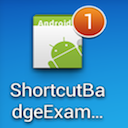
LG Launcher
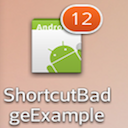
HOW TO ASSEMBLE
Run 'gradlew assemble' to get ShortcutBadger.aar in directory ./build/outputs/aar
Run 'gradlew jarRelease' to get ShortcutBadger.jar in directory ./build/libs
HOW TO USE
1. Download the jar file named ShortcutBadger-X.X.jar in the target folder.
2. Add the jar file into the folder "lib" in your Android project.
3. Do not forget to add these permissions to your Androidmanifest.xml.
    <uses-permission android:name="com.android.launcher.permission.READ_SETTINGS"/>
    <uses-permission android:name="com.android.launcher.permission.WRITE_SETTINGS"/>
    <uses-permission android:name="com.sonyericsson.home.permission.BROADCAST_BADGE"/>
    <uses-permission android:name="com.htc.launcher.permission.WRITE_SETTINGS"/>
    <uses-permission android:name="com.htc.launcher.permission.READ_SETTINGS"/>
    <uses-permission android:name="com.sec.android.provider.badge.permission.READ"/>
    <uses-permission android:name="com.sec.android.provider.badge.permission.WRITE"/>
4. Add the codes below:
    int badgeCount = 1;
    try {
        ShortcutBadger.setBadge(getApplicationContext(), badgeCount);
    } catch (ShortcutBadgeException e) {
        //handle the Exception
    }
5. If you want to remove the badge, just set the badgeCount as 0.
LICENSE
    Copyright 2014 Leo Lin

    Licensed under the Apache License, Version 2.0 (the "License");
    you may not use this file except in compliance with the License.
    You may obtain a copy of the License at

        http://www.apache.org/licenses/LICENSE-2.0

    Unless required by applicable law or agreed to in writing, software
    distributed under the License is distributed on an "AS IS" BASIS,
    WITHOUT WARRANTIES OR CONDITIONS OF ANY KIND, either express or implied.
    See the License for the specific language governing permissions and
    limitations under the License.
Email: leolin310148@gmail.com